V10 Roadmap: What’s new in Mail, Chat, and Verse on Premises?

Following on from our presentation at IBM Think, on Thursday May 24th I will be presenting a follow up webcast with Ram Krishnamurthy, Chief Architect, Notes, Designer and Xpages (HCL) and Andrew Manby, Director of Project Management (IBM).    On the webcast we will be showing the latest additions to Notes client mail, calendaring and Verse on Premises all of which comes from live code and will ship with v10 of each product later this year.

If you saw our presentation at Think there have been more additions and changes since then – the speed at which the products are being developed is something I haven’t seen before and there are some great new features and UI changes I think you will like.

We have a lot of content to cover in 45 minutes and Andrew will have some news you will want to hear too so go here to register for the webcast starting 10am EST, this Thursday the 24th of May.

If you want to stay up to date with all the changes happening to Domino, Sametime, Traveler, Verse and other products then keep an eye on the Destination Domino site where all the news and announcements appear first, and while you’re there why ot sign up for the newsletter.

As we all get ready for v10 of the products later this year I will be blogging more of my own preparation work on my blog at https://turtleblog.info and also populating a Youtube playlist called Perfect10 with a series of 10’ish minute videos to help you prepare.

Are You Ready: Domino #Perfect10

In today’s edition of my #Perfect10 webcast I discuss some steps in finding your Domino servers, reviewing their dependencies and auditing database access.   This is a 15 minute presentation which I’ve tried just as slides with my voice instead of video.

As always please let me know what you think and anything else you would find useful.

Next Up: Are you ready – Traveler, Sametime and Web Mail


Path To A Perfect 10 #perfect10

Here’s an intro to a new blog series I am starting to hopefully take us all through preparing for v10 of the ICS products due out later this year.  If you have suggestions for what you’d find useful outside of the things I mention in the video please let me know.  I’ll be using the hashtag #perfect10 for this which I’m sure isn’t used anywhere else and won’t lead to any confusion 🙂

Any feedback as to format is welcome.  Most blogs will have both slide content and video to match as I thought that the most engaging.  I am trying this as a YouTube channel.


Air Chat – Instant Messaging On A Plane

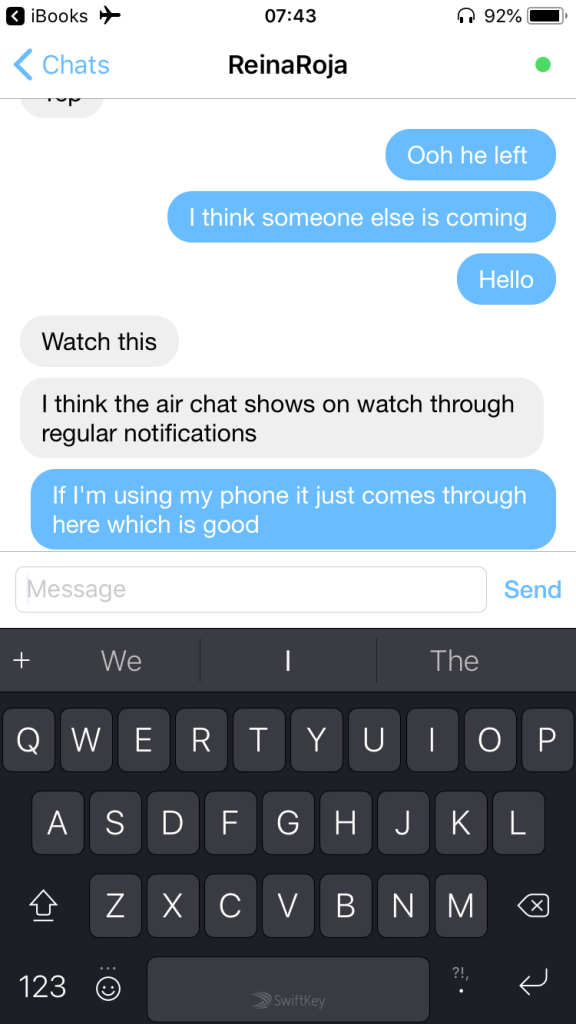
Flying back from the US yesterday, Tim and I had window seats one row behind the other (by choice, long story).    I’m a nervous flyer and this was the first time I haven’t had him right next to me so as we boarded I started to get more tense.  Tim suggested we find a way to message each other during the flight and quickly found Air Chat which we both downloaded.  It provides encrypted bluetooth messaging.

IMG_2246

We paired our phones and that was it, we were able to chat the entire flight (Airplane mode does not require BT being disabled).  I’m not sure how far it would reach in a cabin, we were a row apart and it’s obviously limited by BT distance.  Useful I would have thought for families or groups travelling together.

Best of all they have a watch app so when my phone was turned off and he messaged me it would vibrate on my wrist and I could read it.  I couldn’t reply from the watch but we probably talked more during this flight than we do sitting next to each other.


IMG_9855


An Introduction Into Configuring Domino for Docker

9.0.1 FP10 brings support for Domino on a docker platform.  You may know that docker is a container solution but what does that mean and how could it affect your Domino infrstructure?  In this session we’ll review how to install and run Domino in a docker container, whether it can support external clustering and the decisions to consider when designing container architecture.

The following presentation was meant to be given at the Swiss User Group on April 18th.  Unfortunately I was throwing up with a stomach bug from April 15th – 19th so had to cancel the day before.  I have never had to cancel an event I committed to before so thank you to Andrew Magerman and the team for understanding.  I sent Klaus Bild my presentation which I believe he gave a version of in my stead so thank you to him as well.

DMARC, GDPR & Social Connections

Last week I was at Social Connections in Philadelphia.  The Social Connections team once again put on a great conference around IBM social software and extended this time to include security content.  I presented two sessions – one around security and specifically SMTP DMARC deployment which I am increasingly being asked to deploy..  My second session was about how to approach GDPR as the regulations come into force in less than 1 month. I tried in this session to speak to a US audience who may not be aware in what ways GDPR will impact their business.

Both sessions are shareed below and I hope you find them of interest /use

An Introduction To The DMARC SMTP Validation Requirements
DMARC is a SMTP security standard being increasingly requested by customers to protect against email spoofing. It uses a combination of SPF (Sender Policy Framework) records and DKIM (DomainKeys Identified Mail). Using DMARC you would publicly specify how your outbound mail is sent and the receiving server would verify that the mail it receives matches your requirements. In this session we’ll discuss DMARC deployments and what to do if your mail server (like IBM Domino or SmartCloud) does not yet support DKIM?

How To Approach GDPR Preparation & Discovery
In this session, presented as a workshop outline, we will walk you through your GDPR responsibilities and how to assess your risk. We’ll give some recommendations on high priority but easy to fix issues and how to discover, secure and take ownership of existing data. At the end of the session we will share the workshop outline to help with your own planning.

Think Week – With More Than A Little Help From My Friends

IBM Think starts tomorrow for me in Las Vegas.  So obviously here I am in a LV hotel room drinking lots of water, trying to plan the sessions I want to see, when I’m going to be free and and then sign up for several of the labs.  This year as well as my technical sessions on Tuesday and Wednesday,  I will be moderating and contributing to several “soft skills” sessions that are not about technology but about how we work.

Thank you in advance to all the people shown below for joining the panels.  Here’s where I’ll be this week.

Technical Sessions

Monday 19th @ 1.30pm
A Guide To Single Sign-On for IBM Collaboration Solutions
Mandalay Bay South, Level 2 Surf B
Single sign-on, single identity and even password synchronization—in this session, we will take you through all the options available to minimize or eradicate logins across IBM’s Collaboration Solutions (ICS); whether it is a Domino web server, IHS, Notes client, Traveler, Sametime, Connections or Verse, on-premises or cloud. The discussion will cover security certificates, password synchronization, IWA, SPNEGO and SAML Federation. I will explain what you can (and can’t) do, and how to do it.

Tuesday 20th @ 2.30pm
Deep Dive: What’s New in Notes, Sametime and Verse On-Premises for Users and Administrators
Mandalay Bay South, Level 2 Surf B
with Ram Krishamurthy of HCL
Join this session to understand the recent advancements in capabilities for mail users and administrators. Learn about what to expect with Notes, Verse and Sametime Chat V10 on the server, on the desktop and on mobile devices.

Soft Skills Sessions

Sunday 18th
User Community Day including IBM Champion Day @ MGM Conference Centre

10.35 (#9219)
How to create, maintain and change a personal brand

11.15  (#9268)
How to become a different kind of Champion – reaching across the aisle
with Wannes Rams of Ramsit and Social Connections

11.35 (#9241)
Roundtable on managing the noise and home working
with Florian Vogler of Panagenda
Sandra Buehler and Andreas Ponte of Belsoft AG
Rob Novak of Snapps

Monday 19th @ Mandalay Bay Conference Centre

9am
Think Academy Soft Skills Pop Up – Remote/Home Working: Creating a Balance
with Adam Brown of ISW
Sandra Buehler of Belsoft AG
Julian Robichaux of Panagenda
In this presentation the panel will share ideas around how to best manage remote working (if you miss working directly with a team), home working (over committing and temptations) and working for customers on different timezones. There are many approaches we all use and we can learn from each other which ones would work best. There are also many tools available to both manage tasks and time and stay engaged with others but which ones prove the most useful for different types of work.

Tuesday 20th @ Mandalay Bay Conference Centre

11am
Think Academy Soft Skills Pop Up – Managing the Noise
with Theo Heselmans of XCeed & Engage UG
Francie Tanner and Tony Holder of Panagenda
Maria Nordin of Infoware Solutions & Social Connections
Many of us are in multiple real time chats in Watson Workspace in Slack in Skype in Sametime i addition to all the online forums we need to at least monitor if not participate in. How can we best manage all the noise generated around us whilst we work and how can we contribute effectively. Also aimed at owners of those communities, what is it reasonable to expect of participants and how do you stop people from failing to join in just because they blinked at the wrong time and missed a discussion.

Wednesday 21st @ Mandalay Bay Conference Centre

9am
Think Academy Soft Skills Pop Up – The Imposter Syndrome
with Maria Nordin of Infoware Solutions & Social Connections
Jon Schultz of Prominic
Tony Holder of Panagenda
Impostor syndrome affects nearly everyone in one way or another and results in feeling intermittently underqualified or even out of place in our work. No matter how successful you are there are multiple ways it can sneak up on you. In this session hear and learn from our panelists about how they each deal with different with their own aspects of it. 

I will also be joining some of the round table discussioms taking place at the IBM Champion desk @ Mandalay Bay Conference Centre Bayside D including one on GDPR on Tuesday @ 1.30pm
 

That Scream You Just Heard? Thanks Apple

<still screaming>

I take screenshots probably 30x a day every day. Sometimes to a file (CMD-SHIFT-4) and sometimest to the clipboard (CMD-CTRL-SHIFT-4). Imagine my delight when I got my new Macbook Pro and discovered I could add the “screenshot” icon to my touchbar.  No more key combinations, just press the touch bar.  After presssing the touch bar it shows me options of clipboard, desktop, documents etc and remembers what I last used.

What a great feature.  Until it wasn’t.

Apparently Apple “thought” that those touchbar settings should always and with no warning override the keyboard options.  Here I was in a presentation this morning taking about 100 screenshots (laptop closed using external monitor) CMD-SHIFT-4 only to discover none of them NONE OF THEM were on my file system because apparently Apple now use the touchbar settings (which I can’t see with the laptop closed) to override any keyboard settings.

There’s no excuse for that terrible assumptive UI behaviour.  None.  Hopefully this saves someone else the same pain and I’ll revert to using Skitch where I need to be certain.

Champions Expertise – Security

The topic for this month’s Champions Expertise presentations is “Security” so I thought it would be a nice idea to share a few highlights from the presentation I will be giving at Think 2018 in Las Vegas in a few weeks on that subject.  This is “A Guide To Single Sign-On for IBM Collaboration Solutions” and hopefully even this shortened version (6 minutes instead of 40) is of interest.

Of course I also hope to see you at my presentation on Monday 19th March (Mandalay Bay South, Level 2 – Surf B).